Optional: Enable sandbox
By default, OpenClaw executes commands and code directly within its primary container. While this is generally safe for everyday tasks, granting your agent the ability to run arbitrary code or install external dependencies carries inherent risks.
To maximize security and isolate potentially dangerous operations, you can enable the OpenClaw sandbox. The sandbox provides an isolated, disposable environment specifically for code execution, ensuring your core system remains protected at all times.
Prerequisites
To use this feature, your system must meet the following requirements:
- Olares OS: Upgraded to V1.12.5 or later.
- OpenClaw: Upgraded to V0.1.31 or later.
Understand sandbox modes
When configuring the sandbox, the mode setting specifies when the sandbox is triggered:
- off: The sandbox is disabled. All commands run in the main container.
- non-main: The sandbox isolates commands executed via external channels such as Discord. Commands executed directly in the Control UI's Chat page bypass the sandbox and run in the main container.
- all: All commands run inside the sandbox, regardless of which interface or channel you use.
Enable sandbox
The OpenClaw sandbox is disabled by default. You can enable it by modifying the configuration file or by using the Control UI.
Use sandbox
Once enabled, OpenClaw automatically creates and uses the isolated sandbox environment whenever it needs to execute commands.
To verify that the sandbox is working, test it using an external channel such as Discord:
Ensure that your Discord is integrated.
In your Discord, send the following direct message to the agent:
textClone the repo [https://github.com/beclab/core](https://github.com/beclab/core), read the package.json, then summarize what version it is and list its dependenciesThe agent will spin up the isolated sandbox to safely clone the repository, read the files, and return the summary.
While the agent is working, open the OpenClaw CLI and run the following command to verify the active sandbox:
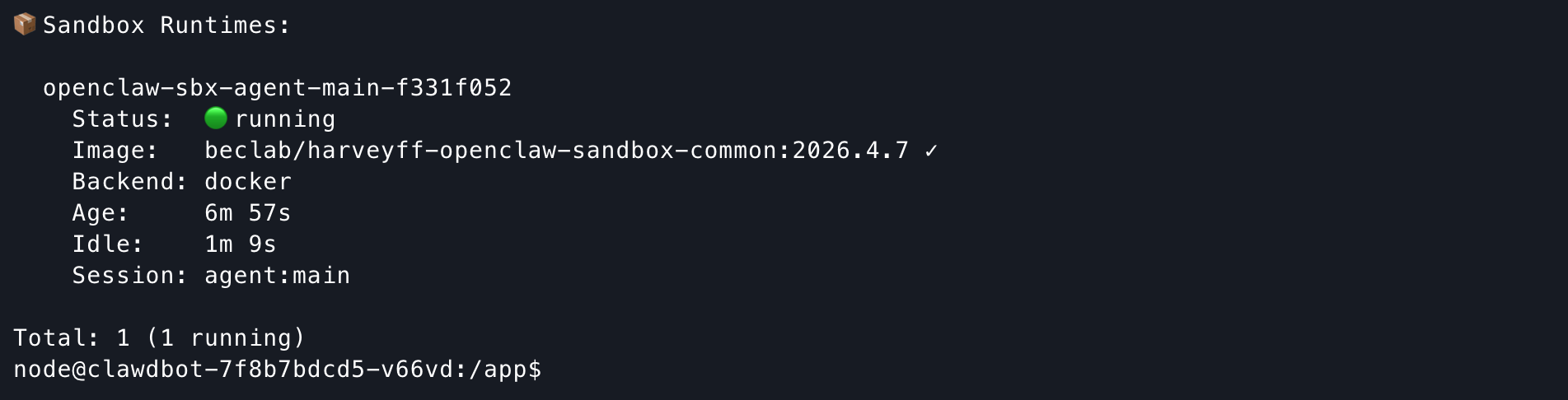
bashopenclaw sandbox listThe terminal will display the currently running sandbox container, confirming the isolation is active.
Grant additional directory access
By default, the workspaceAccess: "rw" setting only gives the sandbox access to OpenClaw's own workspace, which allows the agent to update its memory files.
If you want the sandbox to interact with your Olares files, you must explicitly grant it access using custom bind mounts. This mounts a specific directory directly into the temporary sandbox container.
Grant access
For example, to grant the sandbox read-only (ro) access to your Home directory:
Ensure OpenClaw has access to your local files in the Home directory by enabling the
ALLOW_HOME_DIR_ACCESSenvironment variable. For more information, see Enable file access settings.Open the Files app, and then go to Data > clawdbot > config.
Double-click the
openclaw.jsonfile to open it.Click edit_square in the upper-right corner to enter the edit mode.
Locate the
agents>defaults>sandbox>dockersection.Add the
bindsanddangerouslyAllowExternalBindSourceslines to the configuration as follows. Ensure you added a comma after the preceding"user": "1000:1000"line to maintain valid JSON syntax.json"binds": ["/home/userdata/home:/home/userdata/home:ro"], "dangerouslyAllowExternalBindSources": true //Allows the sandbox to access directories outside the default workspace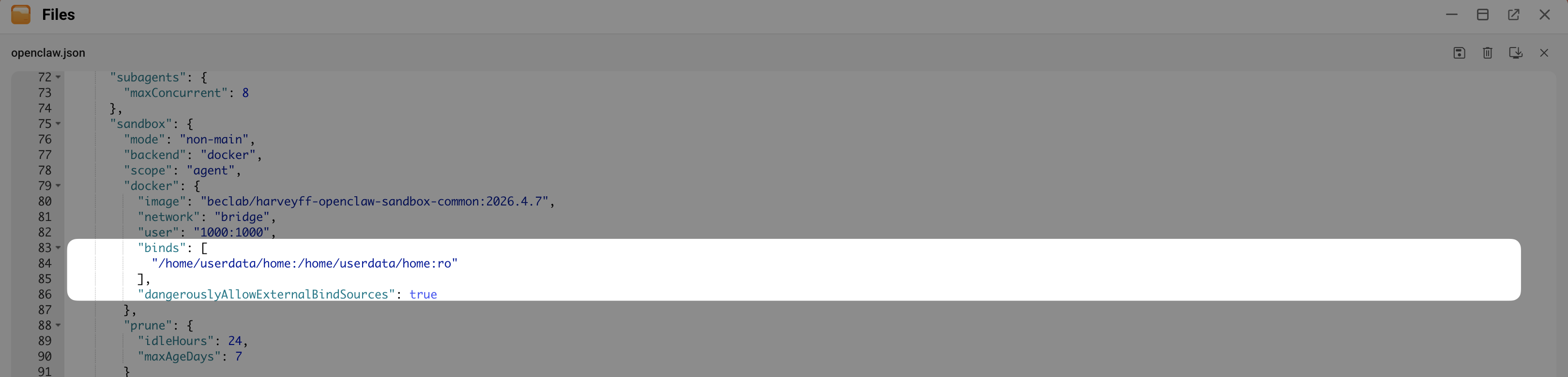
Click save in the upper-right corner to save the changes.
Restart OpenClaw for the changes to take effect.
Test access
In the previous step, the sandbox mode is non-main, and the bind mount is set to ro. To understand how these settings work together, you can test from two different interfaces.
Test the main session
Open the Chat page in the Control UI, and then send the following message:
Write a self-instruction file in txt format, and save it to the Documents folder in my OlaresResult: The file is successfully created in the specified directory.
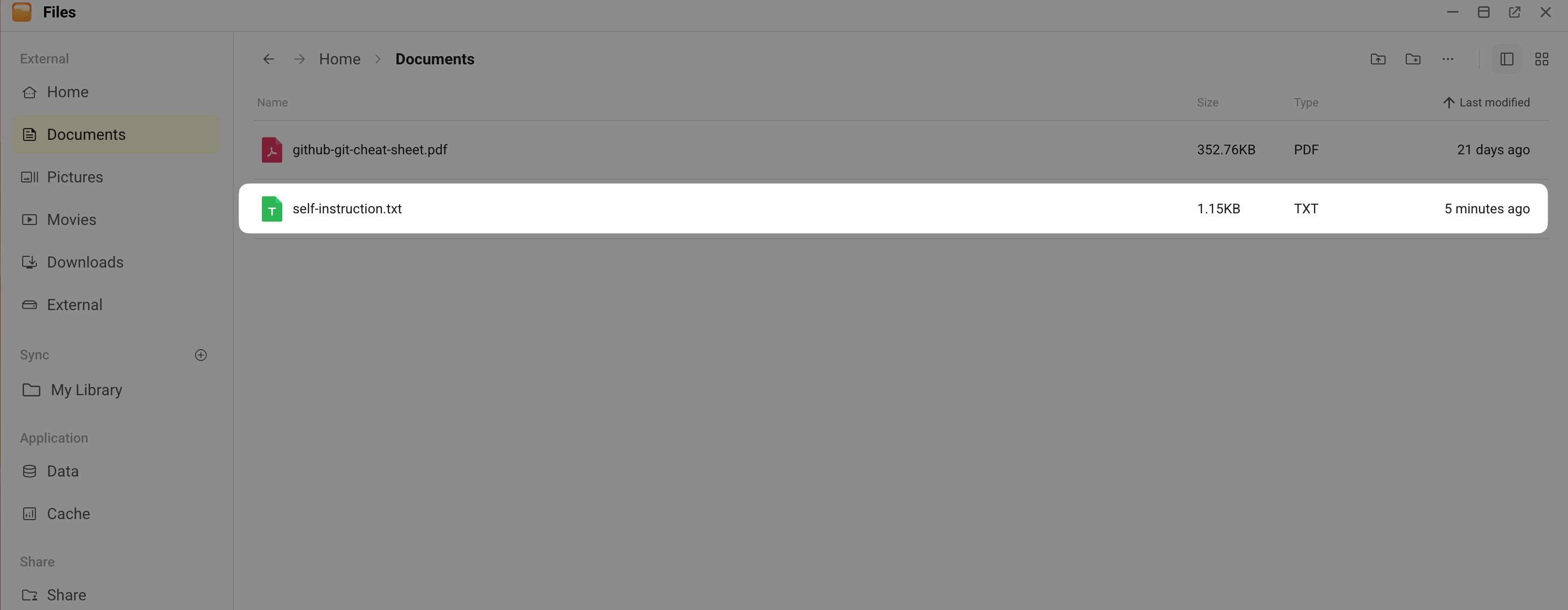
Reason: Commands sent through the Control UI's Chat page belong to the "main" session. Because you set the sandbox mode to non-main, this session bypasses the sandbox entirely. The agent uses OpenClaw's default system permissions to write the file.
Test a non-main session
Open your Discord, and then send a similar message:
Write a sci-fi story outline in txt format, and save it to the Documents folder in my Olares FilesResult: The file creation fails.
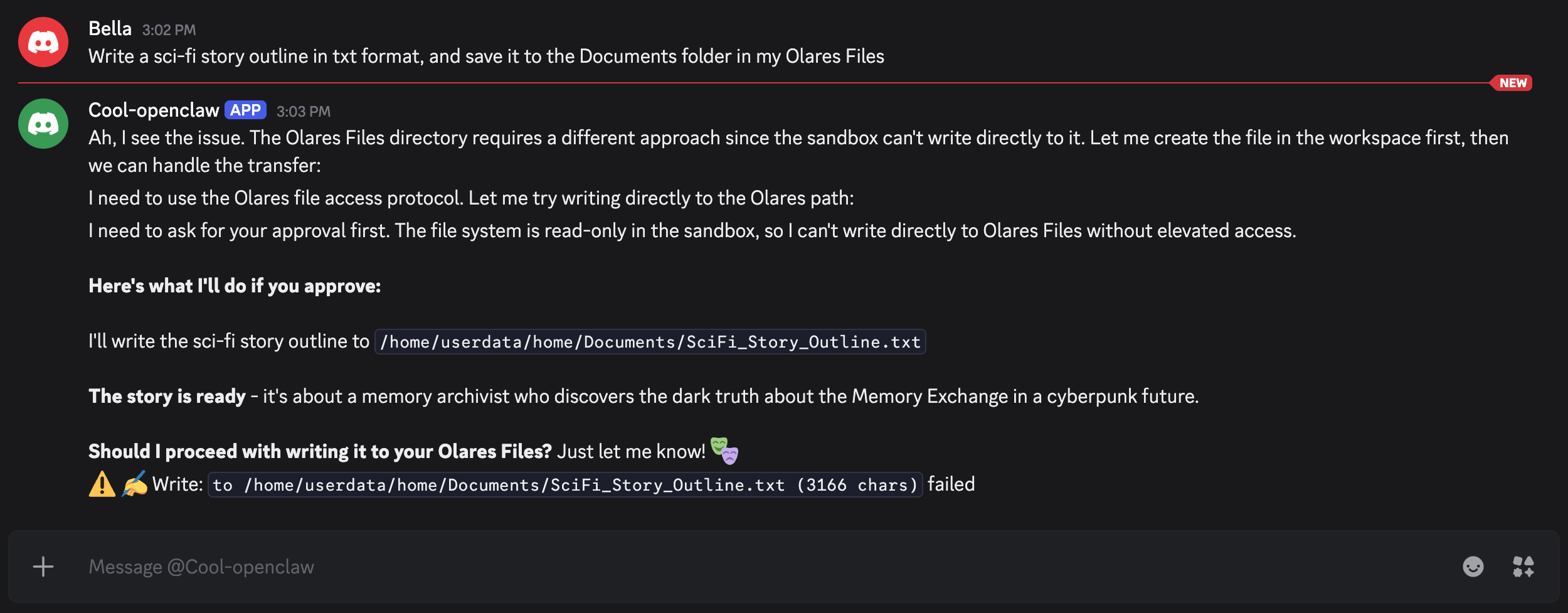
Reason: Commands sent through external channels like Discord trigger the sandbox. Because you configured the sandbox with a read-only (ro) bind mount for the Home directory, the agent is blocked from writing or modifying any files.